

e-Tax Invoice & e-Receipt softwareIssue receipts and tax invoices on paper or as e-Tax
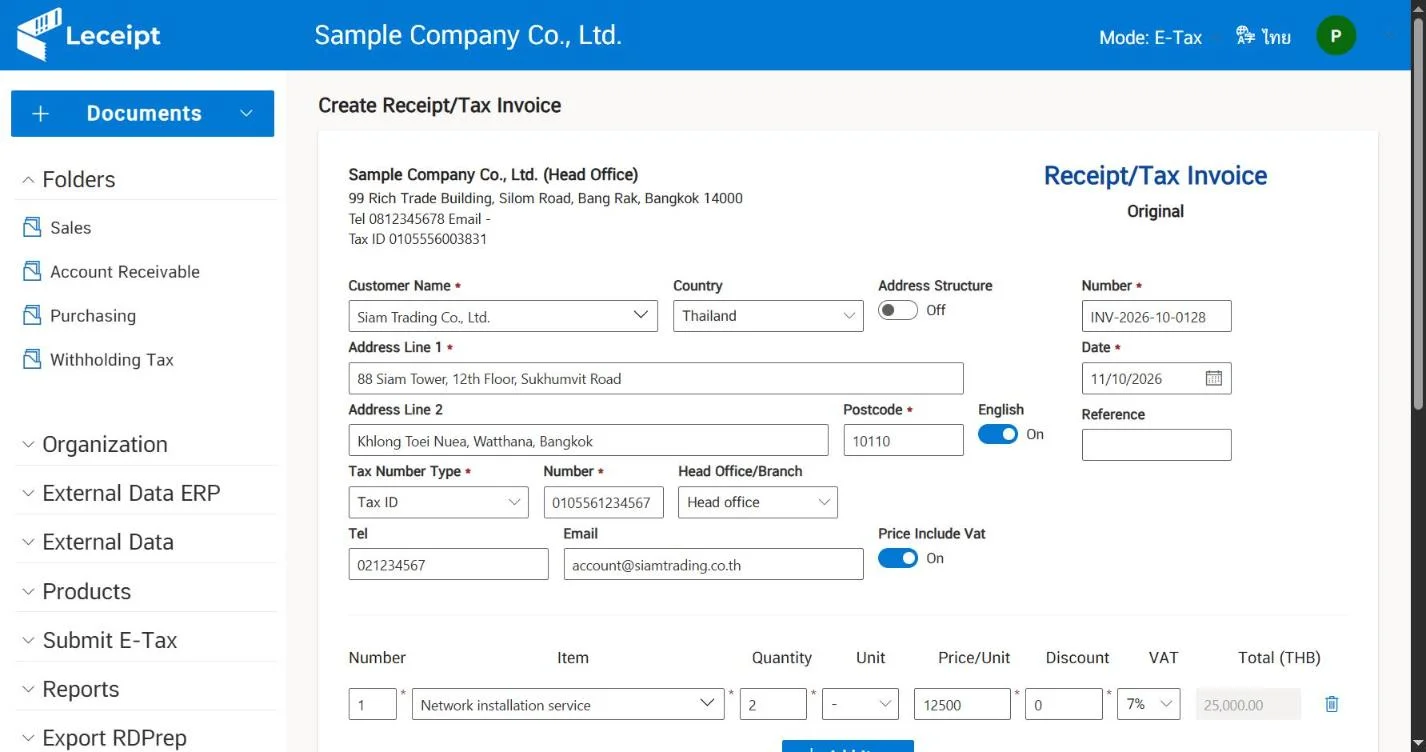
Electronic tax invoices and electronic receipts on one platform in your web browser. Nothing to install, and it connects to the systems your business already uses.
Benefits for Thai businesses
Half off the annual Leceipt e-Tax software fee
Thai SMEs can join depa's SME Spring Board program to get support for an annual Leceipt subscription. The article is in Thai.
Read the articleSolar Rooftop tax measuree-Tax Invoices for home solar rooftop installers
The Thai tax measure for residential solar rooftop installation needs e-Tax Invoices. See how installers issue them with Leceipt. The article is in Thai.
Read the articleTwo ways to issue documents
Start on paper and move to e-Tax when you are ready.
Paper originals
All packagesCreate documents in Leceipt, then print them or send PDFs to customers.
- Start right away, no electronic certificate needed
- Print documents or send PDFs by email
- Store and search past documents
e-Tax Invoice & e-Receipt
SME and Business packagesDigitally signed electronic documents that meet Revenue Department standards.
- Digital signatures on PDF and XML files
- Submit data to the Revenue Department from Leceipt
- Works with TDID or INET electronic certificates
See package details on the pricing page
Why organizations choose Leceipt
Create documents your way
Web forms, Excel, REST API, or Shopee, Lazada and TikTok Shop orders
Connects to accounting and ERP
PEAK, Xero, QuickBooks and Microsoft Dynamics 365
Unlimited email and storage
Send documents to customers and find past documents any time
Enterprise-grade security
SSL encryption, PKI digital signatures and secure backups
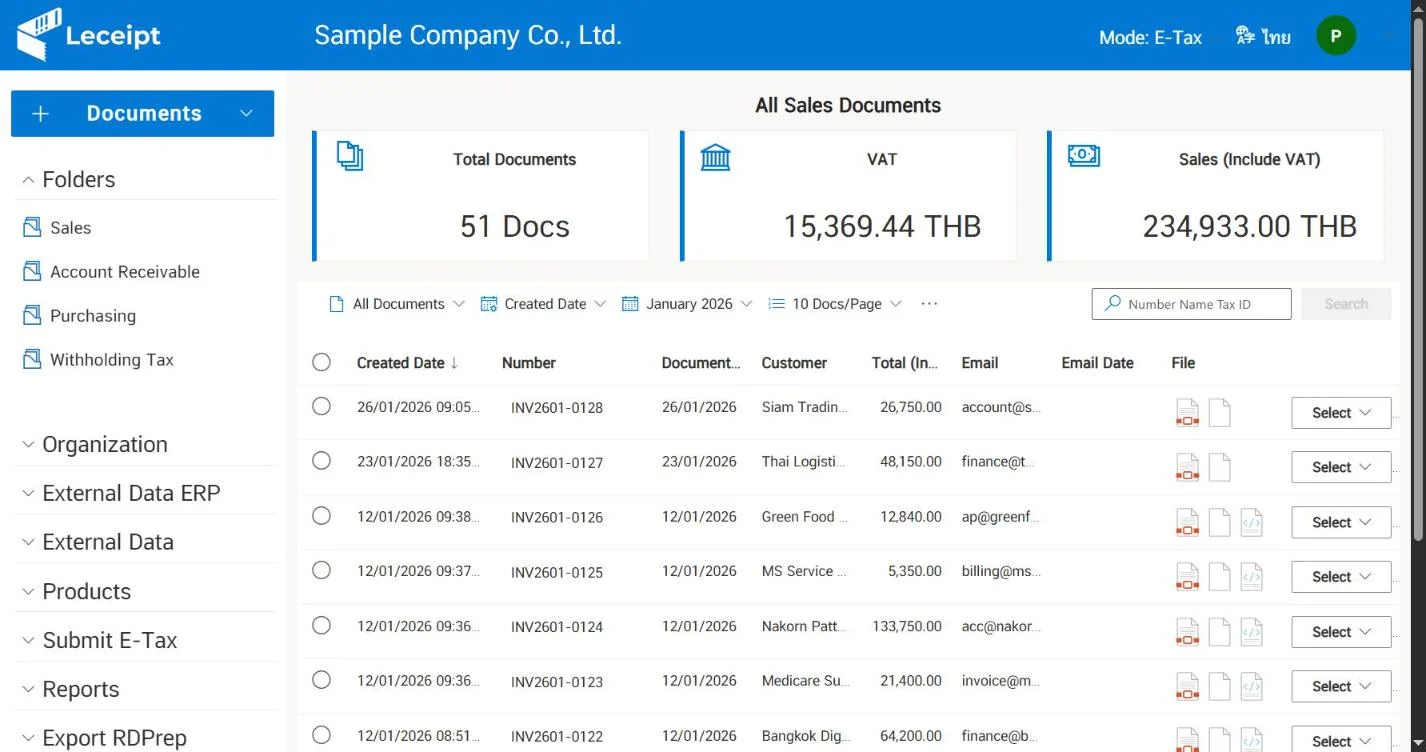
Connect e-Tax Invoice & e-Receipt to the systems you use
Stop re-keying data. Issue documents straight from orders and accounting entries.
Marketplaces
Accounting software
ERP / CRM / E-commerce
 Creates and digitally signs
Every e-Tax Invoice & e-Receipt document you need
Each electronic tax invoice and receipt comes as a PDF for your customer and an XML file for the Revenue Department.
Both files are digitally signed with PKI (Public Key Infrastructure), and you can cancel a tax invoice and reissue it right away.
Services that get you started fast
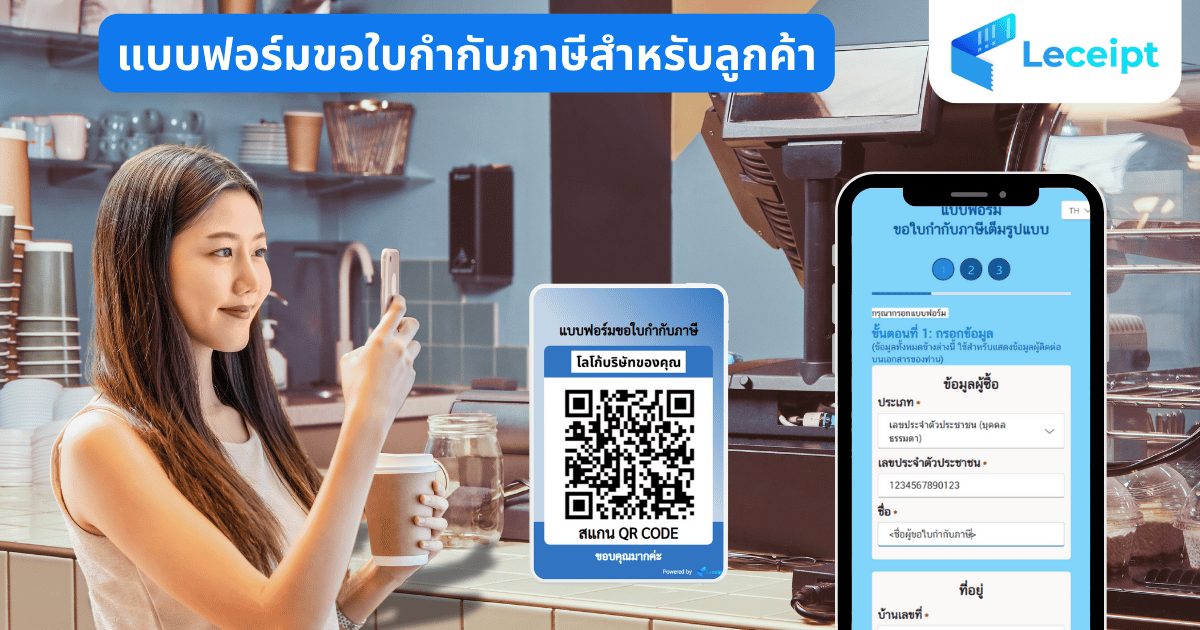
QR code tax invoice requests
Customers scan and fill in their own details, and the shop issues the tax invoice from that data right away.
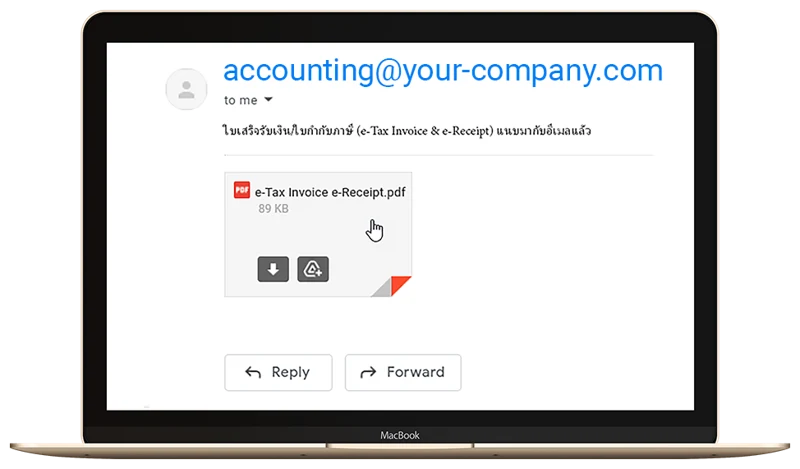
Email from your company address
Send documents from Leceipt in one click. Recipients see the email as coming from your company.
Help from our team on LINE @Leceipt
- Free help preparing your electronic certificate request
- Software activation
- Questions about using Leceipt

Verify an e-Tax Invoice & e-Receipt
Received an e-Tax Invoice from a seller? Check that it is genuine at check.leceipt.com.
Verify a tax invoiceStandards and security
Thai software certified to international standards. Every document can be verified.

ISO/IEC 29110 by TÜV SÜD
Our software development process is certified to an international standard
ETDA standards 3-2560 and 14-2560
Document formats and digital signatures follow ETDA recommendations
TDID and INET certificates
Electronic certificates are kept on a dedicated secure storage device
SSL encryption
The same standard used by financial institutions, with secure backups
Supports e-Tax registration
Ready for the Revenue Department's e-Tax Invoice & e-Receipt system
ETDA 11-2560, 3-2558 and 7-2558
Leceipt also issues e-Tax Invoice & e-Receipt documents to these standards

Outstanding entrepreneur award
Frevation Co., Ltd. received the outstanding entrepreneur award in the ISO/IEC 29110 certification program from the Digital Economy Promotion Agency (depa) and the Digital Industry Club of the Federation of Thai Industries.
See all certificates and awards

Getting started with e-Tax Invoice & e-Receipt on Leceipt
- 1
Request a quotation
Choose a package and get a quotation by email at quotation.leceipt.com
- 2
Confirm the quotation
Sign to approve and send it back to support@leceipt.com
- 3
Prepare for e-Taxe-Tax only
Obtain an electronic certificate and register with the Revenue Department. Our team helps you prepare the documents for free.
- 4
Start issuing documents
Sign in from your web browser and start right away
e-Tax Invoice & e-Receipt questions
What is an e-Tax Invoice & e-Receipt?
It is a document in the Revenue Department's e-Tax Invoice & e-Receipt system, and only businesses registered in that system can issue it. Leceipt creates each document as a PDF for your customer and an XML file for the Revenue Department, and both files carry a digital signature.
What size of business is e-Tax Invoice & e-Receipt for?
Businesses of every size.
Can I use Leceipt before I am ready for e-Tax?
Yes. Choose a package with paper originals. When you send documents to customers, print them and deliver the paper originals.
What documents do I need to sign up for e-Tax Invoice & e-Receipt?
Click Request a quotation, sign the documents and email them back to support@leceipt.com, and we will take you through the next steps.
How do I check an electronic tax invoice I received?
Look up the issuer's tax ID on the Revenue Department website, or check the file at check.leceipt.com.
Do documents need the note that they were prepared and sent to the Revenue Department electronically?
That note is shown on e-Tax Invoice & e-Receipt documents.
Can I create e-Tax Invoice & e-Receipt documents from Shopee, Lazada or my accounting software?
Yes. Issue documents from Shopee, Lazada and TikTok Shop orders, or connect PEAK, Xero, QuickBooks and Microsoft Dynamics 365. You can also upload Excel files or connect through the API. See the documentation for setup guides.
What devices can I use? Do I need to install anything?
Leceipt runs in a web browser on both computers and mobile phones, so there is nothing to install.
Contact the Leceipt team
See current package prices, request a quotation, or talk to us about connecting your systems.
- Phone+66 2-107-0999 (press 1) Mon - Fri, 8:30 - 17:30 (GMT+7)
- Emailsupport@leceipt.com
- LINE@Leceipt
 Scan to chat · LINE OA @Leceipt